Google Antigravity IDE Review: Features, Pros & Risks


You open your editor, write a prompt for your AI assistant, wait for a suggestion, copy it into the right file, run the tests yourself, read the error, paste it back into chat, and repeat. That loop is fine for autocomplete. It falls apart the moment you're asking AI to build a whole feature, not just finish a line of code.
That gap is why agentic IDEs exist. Tools like Cursor and Windsurf already let AI touch multiple files at once. But most of them still treat the AI as a smarter autocomplete bolted onto a familiar editor. The next step — agents that can plan a task, write the code, run it, check the browser output, and only then hand the result back to you — is what a handful of companies are racing to build.
Google's entry into that race is Antigravity. It's not a plugin and it's not just a chat panel next to your code. It's a VS Code fork rebuilt around the idea that an AI agent should be able to work across your editor, your terminal, and your browser without you babysitting every step. Whether that's actually useful in daily development, or just an impressive demo, is what this review digs into.
Quick Take
Best For | Developers who want AI agents to plan, code, test, and verify tasks with minimal hand-holding |
AI Models | Gemini 3 Pro/Flash, Claude Sonnet, Claude Opus, GPT-OSS (model choice varies by plan) |
Category | Agentic AI IDE (VS Code fork) |
Platforms | macOS, Windows, Linux |
Biggest Strength | Agents that can plan, execute, and self-verify work using the editor, terminal, and browser together |
Biggest Limitation | Pricing and rate limits have shifted repeatedly since launch, and free-tier usage has been cut sharply |
💡 Quick Verdict: Antigravity is one of the more ambitious agentic IDEs on the market right now, and the multi-agent, browser-verification workflow genuinely solves problems other tools don't. But it's still young software with a moving pricing model, so treat it as a serious tool to evaluate, not yet a stable long-term platform to build your whole workflow around.
What is Google Antigravity IDE?
Google Antigravity is an AI-first development environment built on a fork of Visual Studio Code. If you've used VS Code, the layout, keybindings, and extension ecosystem will feel familiar right away.
The part that isn't familiar is how deeply the AI agents are wired into the tool. Instead of only suggesting code you accept line by line, Antigravity's agents can read your codebase, plan out a multi-step task, write and edit code across files, run commands in the terminal, open a browser to click through your app, and check whether the result actually works — before reporting back to you.
Google positions it less as "autocomplete with extra steps" and more as an agent-first platform, meaning the assumption baked into the product is that you'll often be directing agents rather than typing every line yourself.
Why Google Built It
A few real pressures pushed Google toward this design.
Software engineering has more moving parts than a single prompt can capture. Writing a feature isn't just generating code — it's understanding existing files, running tests, checking the UI, and fixing what breaks. Chat-based coding assistants that only see a text buffer miss most of that context.
AI models got good enough to plan, not just complete. Gemini 3 and comparable models can now hold a multi-step plan in mind, execute part of it, evaluate the result, and adjust. That capability is what makes an "agent" meaningfully different from an autocomplete engine, and it's new enough that tooling built around it is only now catching up.
Developer productivity gains have plateaued with simple autocomplete. Inline suggestions save keystrokes, but they don't remove the tedious parts of a workflow — running builds, checking logs, clicking through a UI to confirm a fix worked. Google built Antigravity to attack that tedium directly, with agents that can operate the tools a developer would normally operate by hand.
Core Features
Multi-Agent Task Execution
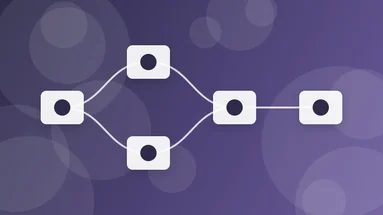
What it does: Antigravity can run more than one agent at a time, each working on a different task or part of your project, coordinated through what Google calls Mission Control (in the Antigravity 2.0 desktop app) or the Agent Manager view inside the IDE.
Why it matters: Instead of waiting for one agent to finish a task before starting the next, you can queue up parallel work — say, one agent fixing a bug while another writes tests for a different module.
Who benefits: Developers juggling several small tasks, or teams that want to batch routine work (refactors, test writing, dependency bumps) without touching each one manually.
Example: You ask one agent to update a deprecated API call across the codebase while a second agent investigates a failing CI test in a separate branch.
Note: Running several agents simultaneously consumes your model quota faster, which matters more now that Google's usage limits are tighter than they were at launch.
Browser-in-the-Loop Verification
What it does: Agents can launch a real browser, click through your application, and check whether a feature actually behaves as expected — not just whether the code compiles.
Why it matters: This is the feature that separates Antigravity from most code-completion tools. An agent that only checks "does this compile" can still ship broken UX. One that clicks the button and watches what happens catches more real bugs.
Who benefits: Frontend and full-stack developers building anything with a UI, especially repetitive flows like forms, checkout pages, or dashboards.
Example: After an agent implements a new signup form, it opens the page, fills the form, submits it, and confirms the success state renders — before telling you the task is done.
Editor View with Tab Completion and Inline Commands
What it does: For moments when you want to write code yourself, Antigravity still offers the traditional AI-editor experience: tab-completions, inline edit commands, and chat — the workflow you'd expect from Cursor or Copilot.
Why it matters: Not every task deserves a full autonomous agent. Small edits, one-line fixes, or exploratory coding are often faster done by hand with AI assistance, and Antigravity doesn't force the agentic workflow on you for everything.
Who benefits: Developers who want to switch fluidly between "let the agent handle this" and "I want to type this myself with AI helping."
Artifacts and Verification Reports
What it does: When an agent completes a task, it produces an artifact — a summary of what it did, screenshots of browser checks, and test results — instead of just dropping code into your files silently.
Why it matters: Trusting an autonomous agent requires visibility into its reasoning and evidence that it actually verified its own work. Artifacts give you something concrete to review before merging changes, rather than a black box.
Who benefits: Teams working in shared or production codebases, where "the AI said it works" isn't good enough without proof.
Knowledge Base / Learning System
What it does: Antigravity saves useful context, patterns, and code snippets from past tasks into a project-level knowledge base that future agent runs can draw on.
Why it matters: Without persistent memory, every agent session starts from zero, re-learning your codebase conventions each time. A knowledge base means later tasks benefit from what earlier ones figured out.
Who benefits: Anyone working in a large or long-lived codebase where conventions, naming patterns, and architecture decisions matter.
Multi-Model Support
What it does: You're not locked into a single model. Antigravity supports Gemini 3 Pro and Flash, Anthropic's Claude Sonnet and Opus, and OpenAI's GPT-OSS, and lets you switch between them depending on the task.
Why it matters: Different models have different strengths and costs. Flash is faster and cheaper for routine work; Pro or Opus-class models are better suited to harder reasoning tasks. Being able to choose avoids paying premium-model costs for simple jobs.
Who benefits: Cost-conscious teams and developers who've already formed opinions about which model handles which kind of task best.
MCP Integration (Model Context Protocol)
What it does: Antigravity connects to external data sources and services — databases like AlloyDB, BigQuery, Spanner, and Cloud SQL among them — through MCP servers, configured via a UI rather than manual config files.
Why it matters: Agents that can only see your code miss half the picture in real applications. MCP lets an agent query your actual database schema or data instead of guessing.
Who benefits: Developers building data-backed applications who want agents to reason about real data structures, not assumptions.
How It Works
Describe the task in natural language. You tell an agent what you want — a feature, a bug fix, a refactor — the way you'd brief a teammate.
The agent builds a plan. It reads relevant parts of your codebase and breaks the task into steps rather than jumping straight to writing code.
The agent executes. It edits files, runs terminal commands, and if the task touches the UI, opens a browser to interact with your app.
The agent verifies. It checks its own output — running tests, inspecting browser behavior, confirming the change did what was asked — instead of assuming success.
You review the artifact. The agent hands back a summary with evidence of what it did and how it confirmed the result.
You approve, adjust, or reject. You stay the decision-maker; the agent doesn't merge or ship anything without your review.
Real World Use Cases
Use Case | Example | Benefits |
|---|---|---|
Feature implementation | Adding a password-reset flow, including UI, backend route, and email trigger | Agent handles multiple files and confirms the flow works end to end |
Bug fixing with verification | Investigating a failing checkout button and confirming the fix in-browser | Reduces the "looks fixed but isn't" problem common with code-only AI fixes |
Test writing | Generating unit and integration tests for an under-tested module | Frees developer time from repetitive test scaffolding |
Repetitive refactors | Renaming a deprecated API across dozens of files | Parallel agents can split the work instead of one long sequential pass |
Data-aware feature building | Building a dashboard against a live BigQuery dataset via MCP | Agent reasons about real schema instead of guessing field names |
UI regression checks | Verifying a UI still works correctly after a dependency upgrade | Browser-in-the-loop testing catches visual/functional breaks code review might miss |
Pros and Cons
Pros | Cons |
|---|---|
Genuine multi-step agent planning, not just chat-based suggestions | Pricing and rate limits have changed multiple times since launch |
Browser verification catches real UI/UX bugs, not just compile errors | Free tier has been cut significantly since the November 2025 launch |
Multi-model support (Gemini, Claude, GPT-OSS) avoids vendor lock-in | Credit system for overages isn't fully transparent about token value |
Familiar VS Code-based interface lowers the learning curve | Still lacks some workflow features competitors have, like fine-grained hooks tied to file events |
MCP integration connects agents to real databases and cloud services | A security researcher flagged a backdoor-risk vulnerability shortly after launch, which Google has been addressing |
Artifacts give visibility into what an agent actually did | Running multiple parallel agents can burn through quota quickly |
Comparison: Antigravity vs Cursor vs GitHub Copilot vs Claude Code vs Windsurf
Feature | Google Antigravity | Cursor | GitHub Copilot | Claude Code | Windsurf |
|---|---|---|---|---|---|
Base | VS Code fork | VS Code fork | Extension (VS Code, JetBrains, etc.) | CLI / terminal-based agent | VS Code fork |
Core model(s) | Gemini 3, Claude, GPT-OSS | Multiple (model-agnostic) | GPT and Claude models | Claude models | Multiple (model-agnostic) |
Agentic task execution | Yes, with multi-agent orchestration | Yes, agent mode available | Limited, mainly chat/completion-focused | Yes, strong for terminal/codebase-wide tasks | Yes, "Cascade" agent flows |
Browser-in-the-loop testing | Yes, built in | No native equivalent | No | No native equivalent | No native equivalent |
Persistent project knowledge base | Yes | Partial (codebase indexing) | Limited | Session-based, less persistent | Partial |
MCP support | Yes | Yes | Growing support | Yes | Yes |
Pricing model | Free tier + Pro ($20) + tiered Ultra plans | Subscription-based | Subscription, bundled with GitHub plans | Usage-based via API/Claude plans | Subscription-based |
Antigravity's standout difference is browser verification baked into the core workflow — most competitors expect you to write and run your own tests or check the UI yourself. Claude Code leans more toward terminal-first, codebase-wide reasoning without a GUI. Cursor and Windsurf both offer strong inline and agentic editing but don't natively drive a browser to confirm results. Copilot remains the most conservative of the group, still weighted toward suggestion-and-accept rather than autonomous task completion.
Performance
Speed varies heavily by model choice. Gemini 3 Flash is noticeably faster and cheaper, making it a reasonable default for routine tasks, while Gemini 3 Pro, Claude Opus, and similar higher-end models are slower but handle harder reasoning better.
Context awareness benefits from the knowledge base feature — agents that have worked in a project before tend to produce more consistent results than a cold start would suggest. That said, on very large monorepos, agents can still miss context buried in files they didn't think to check.
Large projects are where the multi-agent approach pays off most, since you can split work across parallel agents rather than waiting on one sequential run. But this also means quota consumption scales up quickly, which is worth watching given the tighter free-tier limits introduced since launch.
Accuracy is generally strong for well-scoped tasks with clear success criteria (a form that needs to submit correctly, a test that needs to pass). It's less reliable for open-ended or ambiguous requests, where the agent's plan can drift from what you actually wanted — the same limitation every current agentic coding tool has.
Security & Privacy
AI-driven IDEs introduce risks that go beyond "the code might be wrong."
AI limitations: Agents can still misunderstand intent, especially on ambiguous tasks, and can make changes across more files than a human would touch for the same fix. Reviewing artifacts before merging isn't optional — it's the main safeguard.
Code review: Because agents can execute commands and browse autonomously, changes should go through the same review discipline as human-written code, including diffs and test coverage, before merging into shared branches.
Sensitive code: A security researcher publicly flagged a vulnerability in Antigravity shortly after its November 2025 launch that could expose users to backdoor-style attacks; Google said it was working on a fix at the time. If you're evaluating Antigravity for proprietary or sensitive codebases, check Google's current security advisories before rolling it out broadly, and avoid connecting agents to production credentials or data until you've reviewed how permissions are scoped.
Enterprise considerations: MCP integrations that connect agents directly to production databases (BigQuery, Cloud SQL, Spanner, and similar) are powerful but raise the stakes if an agent misinterprets a task. Scope database credentials narrowly, use read-only access where possible, and treat agent-database connections the same way you'd treat any service account — with least-privilege access.
Pricing & Availability
Antigravity's pricing has changed more than once since its November 2025 launch, and it's continued to shift into mid-2026. At various points it has included a free tier, a $20/month AI Pro plan, and higher Ultra tiers priced anywhere from $100 to $250 per month depending on when you check. Google has also introduced a credit-based system for usage beyond your plan's included quota, and the exact token value of a credit hasn't been publicly documented.
Because these numbers have moved multiple times in a matter of months, don't treat any specific figure in this article as current pricing. Check Google's official Antigravity pricing page directly before making a purchasing decision, and if you're evaluating it for a team, budget for the possibility that limits or costs may change again.
Who Should Use It?
Recommended For | Not Ideal For |
|---|---|
Developers who want AI agents to handle multi-step tasks with verification | Teams that need predictable, fixed monthly costs right now |
Frontend/full-stack developers building UI-heavy features | Developers who only want lightweight autocomplete, not full agent workflows |
Teams experimenting with agentic workflows before committing long-term | Highly regulated environments not yet ready to review Google's current security posture |
Projects that would benefit from database-aware agents via MCP | Projects requiring offline or fully local model support |
Developers comfortable reviewing AI-generated changes before merging | Teams without capacity to review agent artifacts and diffs carefully |
Best Practices
Scope tasks tightly. Agents perform better on "fix this specific bug" than "improve the app."
Review artifacts, not just the diff. The verification report often reveals whether the agent actually tested its work or just claimed to.
Start on Flash-tier models for routine work, and reserve Pro/Opus-class models for harder reasoning tasks to manage quota usage.
Scope MCP database access narrowly. Read-only credentials where possible, especially early on.
Keep human code review in the loop for anything touching shared branches or production.
Track your quota usage given how often rate limits have changed — don't assume this month's limits will hold next month.
Common Mistakes
Treating agent output as final without review. Autonomous execution doesn't mean autonomous approval — you still need to check the work.
Giving agents overly broad or vague instructions. Ambiguous prompts lead to plans that drift from what you actually wanted.
Running too many parallel agents without watching quota. It's easy to burn through usage limits faster than expected.
Connecting agents directly to production data without scoping credentials first.
Assuming pricing is fixed. Given how often Antigravity's plans have changed, budgeting around last month's numbers can backfire.
FAQs
Is Google Antigravity free to use? Antigravity launched with a free tier for individuals, but usage limits on that tier have been reduced significantly since launch. Check Google's official pricing page for current free-tier limits.
What AI models does Antigravity support? It supports Google's Gemini 3 models (Pro and Flash), Anthropic's Claude models (Sonnet and Opus), and OpenAI's GPT-OSS, with the ability to switch between them.
Is Antigravity built on VS Code? Yes. It's a fork of Visual Studio Code, so the interface, keybindings, and much of the extension ecosystem will feel familiar to existing VS Code users.
What makes Antigravity different from Cursor or Copilot? Its biggest differentiator is browser-in-the-loop verification — agents can open a real browser to test and confirm that a feature works, not just that the code compiles.
Can Antigravity work with my database directly? Yes, through MCP (Model Context Protocol) integrations, Antigravity can connect to services like BigQuery, AlloyDB, Cloud SQL, and Spanner.
Is Antigravity safe for production or sensitive codebases? Use caution. A security researcher identified a vulnerability shortly after launch, and Google has been addressing it. Review current security advisories and scope any database or credential access narrowly before using it on sensitive projects.
Does Antigravity replace the need for human code review? No. Agents produce artifacts summarizing their work, but changes should still go through normal review before merging, especially in shared codebases.
Is Antigravity available on all platforms? Yes, it's available for macOS, Windows, and Linux.
How does Antigravity's pricing compare to competitors? It's difficult to say definitively — Antigravity's pricing has shifted multiple times since its November 2025 launch, and comparisons made today may be outdated within months. Check current pricing pages for both Antigravity and any competitor before deciding.
Do I need to be an experienced developer to use Antigravity? No, but you'll get more value from it if you understand enough to review agent output critically. Beginners can use it, but shouldn't skip reviewing what the agent actually did.
Final Verdict
Antigravity is doing something genuinely different from most AI coding tools on the market: it treats verification as part of the job, not an afterthought. An agent that opens a browser and confirms your feature actually works is a meaningfully better safety net than one that just checks its code compiles.
That said, it's still early-stage software from a pricing and stability standpoint. The free tier has shrunk since launch, the credit system for paid overages isn't fully transparent, and a security vulnerability surfaced not long after release. None of that makes Antigravity a bad tool — it makes it a tool worth testing on a side project or a non-critical part of your codebase before you build a core workflow around it.
If you're a developer who wants to see where agentic development is headed, and you're comfortable reviewing what an AI agent actually did before trusting it, Antigravity is worth the download. If you need predictable pricing and a fully mature security track record today, give it a few more months and check back.








Comments (0)
No comments yet. Be the first to comment!