Internal Linking and Site Architecture: A Technical SEO Perspective

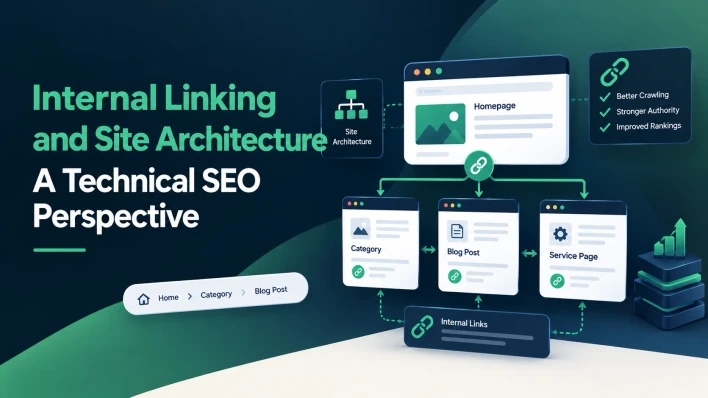
A website can publish excellent content and still struggle to achieve organic visibility when its pages are poorly connected.
Imagine a business that publishes 50 useful articles, but most of them have no links from relevant pages. Visitors may find some articles through search, yet struggle to discover related resources. Search engines may also have fewer clear paths to important URLs and less context about how the content fits together.
Now imagine the same website with a logical structure. Its main service pages connect to relevant supporting articles, related blog posts reference one another where useful, and navigation helps visitors move between important sections.
The difference is not simply the number of links. It is how effectively the website communicates relationships between pages.
Internal linking and site architecture influence how users navigate a website and how search engines discover and interpret its content. When planned carefully, they can support crawling, clarify topical relationships, and make important pages easier to find.
This guide explains how to design an effective internal linking strategy, diagnose structural weaknesses, and improve the relationship between your website's pages.
For a broader explanation of crawling, indexing, and related technical SEO concepts, see the Technical SEO Encyclopedia 2026.
What Is Website Architecture in SEO?
Website architecture is the way a website organizes its pages and establishes relationships between them.
A typical business website might use a structure like this:
Homepage
Services
SEO content writing
Technical SEO
Content strategy
Resources
Technical SEO guides
Content marketing articles
Case studies
About
Contact
This structure helps visitors understand where information belongs and how different pages relate to one another.
For search engines, a logical architecture can make important URLs easier to discover and provide additional context through navigation and internal links.
However, a website does not need to follow a rigid hierarchy to perform well. Some websites benefit from category-based structures, while others use interconnected resource hubs, product relationships, or editorial collections.
The objective is to make the site understandable, navigable, and efficient to maintain.
What Is Internal Linking?
An internal link connects one page on a website to another page on the same website.
Examples include:
A blog post linking to a related service page.
A category page linking to individual products.
A technical guide linking to a more detailed explanation of a specific issue.
A case study linking to the service that produced the results.
Breadcrumb navigation linking back to higher-level categories.
Internal links provide navigation paths for visitors and help search engines discover URLs.
They also provide contextual signals. For example, a link from an article about technical SEO audits to a page about crawling and indexing helps establish a meaningful relationship between the two topics.
The strongest internal linking strategies are designed around user needs and page relationships rather than arbitrary link counts.
Why Internal Linking Matters for Technical SEO
1. It Helps Search Engines Discover Pages
Search engines discover URLs through multiple sources, including links and sitemaps. Internal links provide paths from known pages to other pages on your website.
A page that has no internal links pointing to it may be harder to discover through normal site navigation. Such a page is often described as an orphan page.
XML sitemaps can help search engines discover URLs, but they do not replace a clear internal linking structure.
2. It Helps Communicate Page Importance
A website's internal links can indicate which pages are central to its structure.
For example, a main service page linked from the navigation, homepage, and several relevant articles is more clearly integrated into the website than a page accessible only through an obscure URL.
This does not mean that adding more links automatically improves rankings. The relevance, context, accessibility, and overall quality of the site's structure matter more than raw link counts.
3. It Helps Search Engines Understand Context
The words surrounding an internal link and its anchor text can help explain the destination page.
Consider two links:
“Click here”
“technical SEO audit checklist”
The second gives visitors and search engines more context about what they can expect from the destination.
Descriptive anchor text is useful when it accurately reflects the linked page. It should not be forced into every link or repeated unnaturally.
4. It Improves Navigation and Content Discovery
Internal linking is also a user experience tool.
A reader who lands on an article about indexing problems may benefit from a relevant guide explaining canonical tags or crawlability. A potential client reading a case study may want to explore the associated service.
Relevant links make those next steps easier and help users find information without returning to the search results.
5. It Can Support the Flow of Link Equity
Links can help search engines discover and evaluate relationships between pages. Internal links also influence how link signals are distributed across a website.
However, internal linking is not a simple formula in which every link passes an identical amount of ranking value. Avoid strategies based on arbitrary link quotas or the assumption that adding links alone guarantees better rankings.
Focus on linking pages where the connection is useful and meaningful.
How to Design an SEO-Friendly Site Architecture
Step 1: Identify Your Most Important Pages
Start by identifying the pages that matter most to your business.
For a service company, these might include:
The homepage.
Core service pages.
Important industry or location pages.
High-value case studies.
Educational resources that support commercial services.
Contact or conversion pages.
For an ecommerce website, the priorities may include major categories, subcategories, and valuable product pages.
The architecture should reflect business goals and user needs, not simply the order in which pages were published.
Step 2: Group Pages by Topic and Purpose
Organize related pages into logical sections.
For example, a content marketing agency might organize its resources around content strategy, SEO writing, content distribution, and technical SEO.
Each group can contain a central guide and supporting articles that address more specific questions.
This structure helps readers navigate related information while giving search engines clearer paths through the site.
Avoid creating categories that contain only one or two unrelated pages just to make the structure appear more organized. Categories should reflect meaningful relationships and help users find content.
Step 3: Create Clear Paths to Important URLs
Important pages should be accessible through useful navigation and relevant contextual links.
For example, a technical SEO service page might be linked from the main services menu and from articles discussing technical audits, crawling, or indexing.
A supporting article should not depend entirely on a visitor finding it through a search engine. Relevant internal links provide additional discovery paths.
For large websites, review crawl depth as a diagnostic signal. If important pages require many unnecessary navigation steps to reach, consider whether the structure can be simplified.
There is no universal number of clicks that guarantees rankings. The goal is to avoid unnecessarily isolated or difficult-to-reach pages.
Step 4: Use Breadcrumbs Where Appropriate
Breadcrumbs show a page's position within the site's structure.
For example:
Home → Resources → Technical SEO → Internal Linking
They help visitors understand where they are and can provide additional internal links to parent sections.
Breadcrumbs are especially useful on ecommerce websites, large resource libraries, and sites with multiple levels of categories.
Implement them consistently and ensure that each breadcrumb points to a meaningful destination.
Step 5: Connect Related Pages Contextually
Navigation menus and category links establish broad relationships. Contextual links inside the content can explain more specific relationships.
For example, an article about JavaScript rendering may link to a guide about crawling and indexing when it discusses how search engines process rendered pages.
The destination should genuinely help the reader understand the subject. Avoid adding links to unrelated pages just because they target a keyword you want to promote.
How to Build an Internal Linking Strategy for a Content Cluster
A content cluster organizes related articles around a broader subject. It can help readers explore a topic in depth and provide a logical framework for internal linking.
Suppose your website has a central technical SEO guide and several supporting articles.
The central guide covers the broader subject. Supporting articles address specific problems, such as indexing exclusions, JavaScript rendering, crawl budget, and technical audits.
A practical structure might look like this:
Central resource: Technical SEO Encyclopedia 2026
Supporting articles:
Why Google Discovers Pages but Doesn't Index Them
Robots.txt vs Noindex vs Canonical Tags
JavaScript SEO: How Rendering Problems Hide Website Content
How to Diagnose Crawl Budget Problems on a Growing Website
The Technical SEO Audit Checklist for Small Business Websites
Internal Linking and Site Architecture
Core Web Vitals: Which Technical Fixes Should You Prioritize?
Technical SEO Problems to Check Before a Website Migration
The central guide can link to the supporting articles where they add detail. Each supporting article can link back to the central guide and to other articles when a genuine contextual relationship exists.
For example, the crawl budget article could reference the internal linking article when discussing how important pages are discovered. The technical audit article could link to the canonical tags article when explaining URL consistency.
The important point is that the cluster should not become an artificial web of links. Every link should help readers explore the subject or complete a relevant task.
How to Audit Your Existing Internal Links
You do not need to redesign your entire website to improve internal linking. Begin by identifying structural problems.
1. Find Orphan Pages
Use a website crawler, analytics data, your content inventory, or a manual review to identify pages that have no meaningful internal links pointing to them.
Compare those pages with your sitemap and CMS records. Determine whether each page deserves to remain accessible and indexable.
For useful orphan pages, add relevant links from existing content or navigation. If a page is outdated or unnecessary, consider whether it should be updated, consolidated, redirected, or removed.
2. Identify Important Pages With Few Internal Links
A page may technically have an incoming link but still be poorly integrated into the website.
Review whether your most important service pages and resources receive links from relevant sections of the site.
Add links where they improve navigation and clarify the page's relationship to the surrounding content.
3. Review Broken Internal Links
Broken links create dead ends and may prevent users and crawlers from reaching intended destinations.
Crawl the website or inspect important sections manually. Correct links that point to outdated URLs, deleted pages, or unintended redirects.
When a destination has moved, update internal links to the final URL rather than relying on a long redirect chain.
4. Review Anchor Text
Check whether internal link text describes the destination accurately.
Useful anchors can be descriptive phrases, page titles, or natural wording that fits the sentence.
Avoid using the exact same keyword-heavy anchor for every link to a page. Repetitive anchors can make content less natural and less useful to readers.
5. Find Excessive or Irrelevant Links
More links are not always better.
A page filled with unrelated links may become difficult to navigate and may distract readers from the information they need.
Review links in the context of the page. Keep those that support navigation, explain a relevant concept, or provide a useful next step.
Common Internal Linking Mistakes
Linking Every Article to Every Other Article
This approach may appear to strengthen a content cluster, but it often creates unnecessary links that do not help readers.
Link articles when the relationship is relevant. A page about crawl budget does not automatically need to link to every article about technical SEO.
Using Generic Anchor Text Everywhere
Phrases such as “click here” can be appropriate in some contexts, but descriptive anchors often communicate the destination more clearly.
Use natural language that helps visitors understand what they will find.
Leaving Important Pages Buried Deep in the Structure
If a valuable service page is accessible only through several obscure navigation steps, users may struggle to find it.
Review whether important pages can be reached through logical navigation and relevant contextual links.
Relying Only on XML Sitemaps
A sitemap is useful for URL discovery, but it does not create a good navigation experience or establish contextual relationships between pages.
Use sitemaps alongside meaningful internal links.
Creating Too Many Thin Categories
A complicated category structure can make a website harder to maintain without improving navigation.
Group pages according to genuine user needs and meaningful topic relationships.
Ignoring Internal Links After Updating URLs
When pages move, internal links may continue pointing to old URLs or redirect chains.
Review internal links after migrations, redesigns, and major content reorganizations.
How to Measure Internal Linking Improvements
Internal linking does not have a single metric that directly measures success. Evaluate it through a combination of structural, technical, and business signals.
Page discovery: Check whether important URLs are easier to discover and whether previously isolated pages now have meaningful internal links.
Crawl patterns: For larger sites, use Search Console and server logs where available to investigate whether Googlebot can reach important URL groups efficiently.
Indexing: Monitor the indexing status of priority pages. Improvements in linking do not guarantee indexing, so evaluate other factors when pages remain excluded.
Organic performance: Use Search Console to review impressions, clicks, and queries for the pages involved.
User behavior: Where analytics data is available, examine whether visitors move between related articles, service pages, and conversion paths.
Conversion paths: Determine whether educational content helps users reach relevant services, contact forms, or product pages.
Establish a baseline before changing the structure. This makes it easier to evaluate whether your work improved discovery, navigation, or business outcomes.
A Practical Internal Linking Checklist
Use this checklist when reviewing a website's structure.
Important service, product, and resource pages are linked from relevant sections.
Useful pages are not isolated from the rest of the website.
Navigation labels are clear and descriptive.
Internal links use valid, crawlable destinations.
Anchor text accurately describes linked pages.
Related articles link to one another when useful.
Broken internal links have been corrected.
Internal links point directly to final URLs where practical.
Breadcrumbs are used where they improve navigation.
XML sitemaps contain appropriate canonical URLs.
Important pages are not unnecessarily difficult to reach.
Links are reviewed after migrations and major content updates.
Internal links support real user journeys rather than arbitrary link counts.
Frequently Asked Questions
How many internal links should a page have?
There is no universal ideal number. Add enough relevant links to help users navigate the page and discover related information. The appropriate number depends on the page's length, purpose, and complexity.
Do internal links improve SEO rankings?
Internal links help search engines discover pages and understand relationships between content. They can support SEO, but adding internal links does not guarantee higher rankings.
What is the difference between site architecture and internal linking?
Site architecture describes how a website organizes its pages and sections. Internal linking is one of the main ways those relationships are implemented and communicated to users and search engines.
Should every blog post link to a service page?
Only when the service is genuinely relevant to the article and useful to the reader. A relevant contextual link can help visitors move from educational information to a suitable service, but forced links can make content less useful.
Are content clusters necessary for SEO?
No. Content clusters are an organizational approach, not a requirement for ranking. They can be helpful when a website covers related subjects in depth and readers benefit from moving between broader guides and specific articles.
Can internal linking fix pages that are not indexed?
Better internal linking can help discovery and clarify relationships between pages. However, pages may remain unindexed because of duplication, low content value, technical restrictions, or other indexing signals. Diagnose the underlying cause rather than relying on links alone.
Final Thoughts
Final Thoughts
Internal linking and site architecture are most effective when they make a website easier to understand and navigate.
Start by identifying your most important pages, organizing related content into meaningful sections, and creating clear paths between pages that genuinely support one another. Then audit orphan pages, broken links, confusing navigation, and outdated URL references.
For content-driven websites, a well-planned topic cluster can connect broad resources with detailed supporting articles without forcing every page to link to every other page.
The goal is not to maximize the number of internal links. It is to help visitors find the next useful page and help search engines discover and interpret your website's structure.
For a deeper look at crawling, indexing, URL management, and related technical SEO topics, explore the Technical SEO Encyclopedia 2026.
As a content marketing agency, Clienvora helps businesses build content strategies that connect relevant pages, strengthen site structure, and support long-term organic search visibility.








Comments (0)
No comments yet. Be the first to comment!